

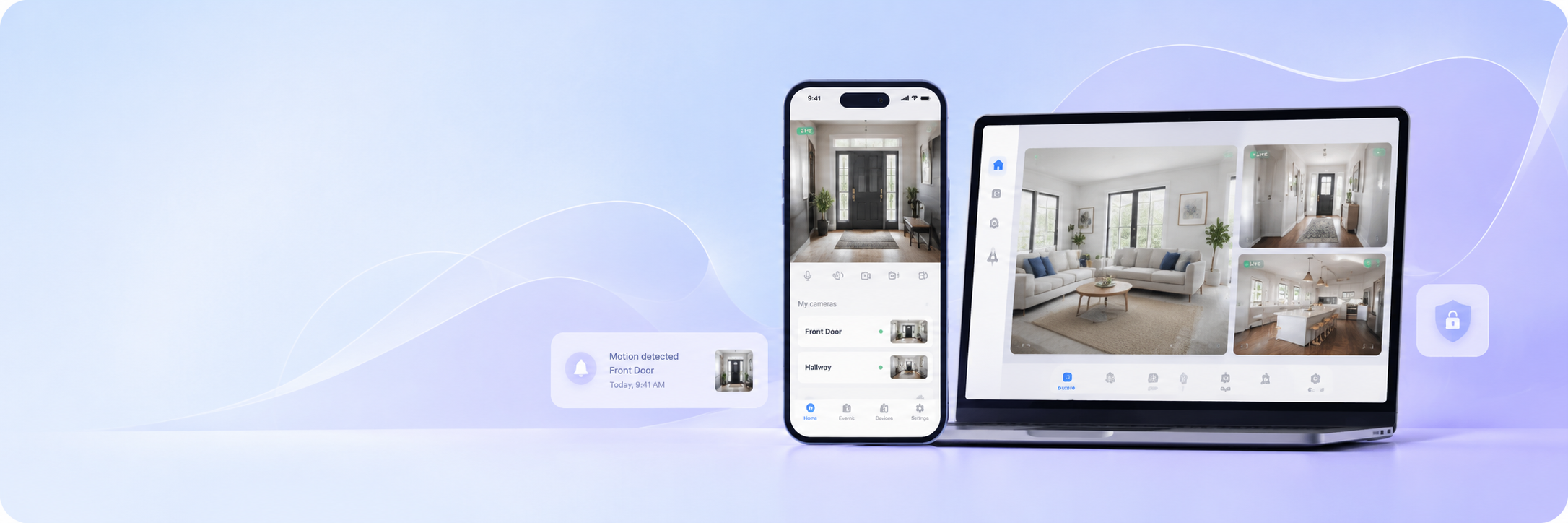
Most people already carry everything they need for a working surveillance setup. The phone in your pocket has a high-resolution lens, a reliable internet connection, and enough processing power to stream live video around the clock. The Visory camera app turns that into a fully functional phone as security camera solution — with motion detection, night vision, and instant alerts built in.
Which app can turn my phone into a security camera?
An app for phone as security camera is software that activates a smartphone’s built-in camera and streams its footage to another device over the internet. Instead of buying dedicated hardware, you repurpose a phone you already own — placing it wherever coverage is needed and accessing the live feed from anywhere.
Visory handles both sides of this setup. On the source device, it runs the stream. On the viewing device — another phone, a tablet, or a laptop — it displays the live feed and delivers alerts. The result is a smartphone surveillance camera system that requires no specialist knowledge to deploy and no extra equipment to purchase.
Benefits of using a smartphone surveillance camera
Dedicated CCTV hardware has its place, but for most homes, small offices, and everyday monitoring needs, a smartphone surveillance camera delivers the same core functions at a fraction of the cost. The difference becomes clear the moment you compare what’s actually involved.
Using a phone as security camera with Visory gives you:
- Zero hardware cost — a spare or older Android or iOS device becomes a fully operational monitoring unit
- Night vision — Visory captures clear footage in low-light conditions without any additional equipment
- Motion detection with alerts — the app detects movement and sends an instant push notification, so you don’t need to watch the feed continuously
- Fast setup — pairing takes seconds via QR code; no configuration menus, no network credentials to enter manually
- Flexible placement — a phone can be repositioned in seconds, unlike a fixed wall-mounted unit
You can sign up for a subscription after downloading the app. There are no fees. You can cancel your subscription at any time.
Where to use iOS or Android phone as security camera
The ability to use an Android phone as security camera — or an iPhone, for that matter — fits a surprisingly wide range of situations. The same app that monitors a front door works just as well in a retail stockroom or a remote outdoor location.
| Setting | Monitoring purpose | Typical placement |
|---|---|---|
| Home | Entrance, backyard, indoor rooms | Windowsill, shelf, desk |
| Apartment | Door, hallway, common area | Facing entry point |
| Office | Reception, after-hours security | Desk or mounted stand |
| Retail | Floor, checkout, stockroom | Counter or shelving unit |
| Rental property | Check-ins, damage documentation | Main entry area |
| Remote site | Outdoor coverage, asset protection | Near perimeter or gate |
For temporary setups — a short-term rental, a job site, an event space — a mobile phone cctv camera is especially practical. There’s no installation to undo when the deployment ends; you simply move the device.
How to set up a mobile phone CCTV camera
Setting up a mobile phone cctv camera with Visory takes under ten minutes from download to live feed. The process is the same whether you’re on Android or iOS.
Step 1. Download Visory from Google Play or the App Store on both devices — the one that will act as the source and the one you’ll use for viewing. The Web App at app.visory.cam works for laptops and desktops without any installation.
Step 2. On the source device, open Visory and select camera mode. Adjust the field of view and set the motion detection sensitivity to suit the space you’re monitoring.
Step 3. On the viewing device, open Visory camera app and scan the QR code displayed on the source device. The connection establishes immediately — no account linking, no manual IP entry, no network configuration.
Step 4. Position the source device and confirm the angle using the live preview on your viewing screen. Once the view looks right, the setup is complete.
From this point, Visory runs in the background on the source device and sends alerts to the viewer whenever motion is detected.
Security camera app for Android: key features and live video access
The Visory camera app works as a full-featured security camera app for Android, covering everything from live streaming to low-light monitoring. The features below are available in the current version of the app.
Live HD video streams continuously from the source device, with quality that adapts automatically when bandwidth fluctuates — the feed stays stable rather than cutting out on slower connections. Motion detection runs in the background and triggers an instant push notification the moment something moves within the frame. Night vision ensures the feed remains useful in dark or dimly lit spaces without any hardware additions.
QR code pairing keeps the connection process consistent: open the code on the source device, scan it from the viewer, and monitoring begins. This works identically whether both devices are Android, one is iOS, or the viewer is a laptop running the web version.
Coming soon to the platform: stranger detection, vehicle detection, baby cry detection, pet sound detection, glass break detection, and fire alarm detection — all delivered as app updates with no hardware changes required.
Cam viewer Android and CCTV mobile app for remote control
Visory functions as a cam viewer for Android and iOS alike, letting you access any connected source device from wherever you happen to be. The cctv mobile app displays all active feeds in one place, with no need to switch between separate tools or accounts.
This becomes especially useful when monitoring more than one location. A business owner with a shop and a storage unit, a parent checking on a child at home while at work, a landlord managing multiple properties — each of these benefits from a single viewing interface that pulls together every active feed. Switching between sources is instant, and alerts from all devices arrive in the same notification stream. The cctv mobile app handles the organisation so you don’t have to.
Why choose Visory app to turn your phone into a security camera?
The Visory camera app is available on Android, iOS, and as a web application — meaning the device you use to monitor doesn’t need to match the device running the stream. A single subscription covers the full feature set with no hidden charges and the freedom to cancel anytime.
The setup is designed to be completed without technical assistance. QR code pairing replaces manual configuration entirely, and the interface is navigable from the first session. For anyone who wants to use an Android phone as security camera — or repurpose any device they already own — Visory removes every barrier between the idea and a working surveillance setup.
FAQ
Can I use any Android phone as a security camera with Visory?
Yes. Any Android device with a working camera and an internet connection can act as the source in Visory. Older phones work well as dedicated monitoring units since they don’t need to handle other tasks while running the stream.
Does the app support iOS as well as Android?
Yes. Visory is available on both the App Store and Google Play, as well as via the Web App at app.visory.cam. Source and viewer devices can be any combination of platforms.
Does the phone screen need to stay on while streaming?
No. Visory runs in the background, so the screen can be off while the app continues to stream and detect motion.
How does motion detection work?
Visory monitors the feed continuously and sends a push notification to the viewing device the moment movement is detected. Each event is timestamped so you can review what triggered the alert.