

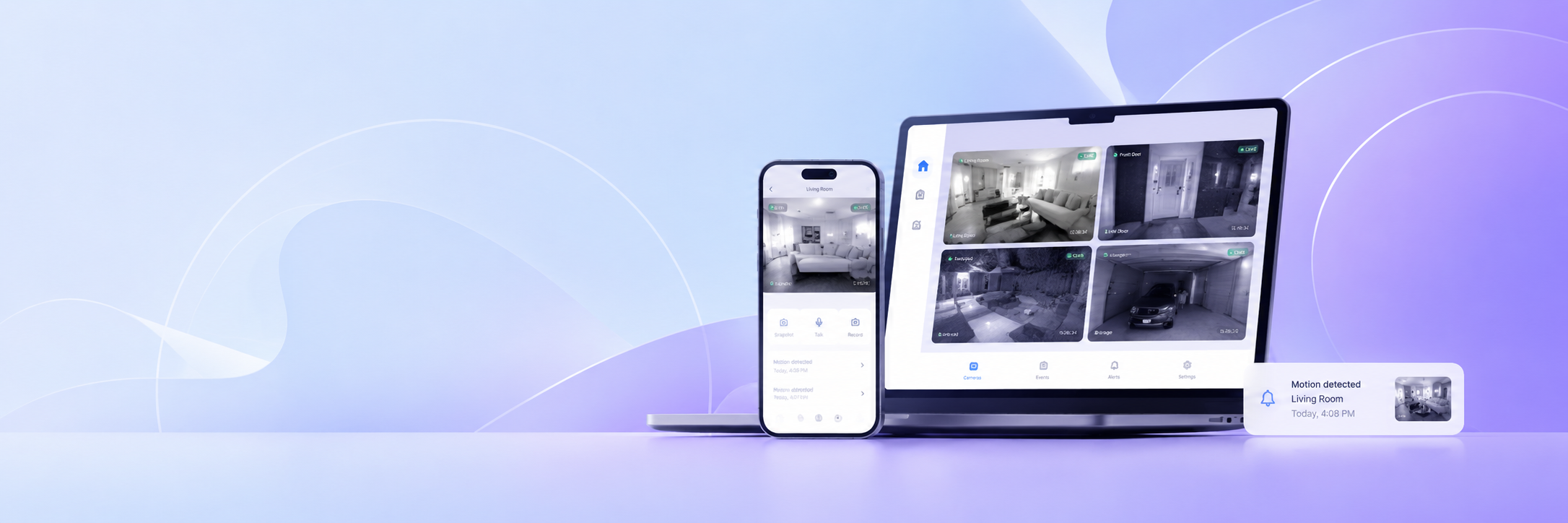
Home security no longer requires a professional installer or a wall full of wired equipment. A phone, a tablet, or a laptop can cover every entrance, room, and outdoor area you care about — and connect to your viewing device in seconds. Visory is a camera home app that turns existing devices into a working home protection system, with live streaming, night vision, and motion alerts available from the moment setup is complete.
What Is a home security camera app?
A home security camera app is software that activates a device’s camera, streams its footage over the internet, and delivers alerts when something is detected. On the source side, any compatible phone, tablet, laptop, or ONVIF IP camera becomes part of the system. On the viewer side, you watch live feeds and receive notifications from wherever you happen to be.
As a Visory camera solution, the app works across iOS, Android, and web browsers. This means the device running the stream and the device used for viewing can be any combination of platforms — no matching hardware required, no separate accounts to manage per device.
Benefits of smart home security and connected home security
Switching from no monitoring to an app-based home protection system changes the practical reality of being away from home. The difference between knowing and guessing about what’s happening at your property is significant, and connected home security closes that gap without a large upfront investment.
The Visory camera app delivers smart home security with several straightforward advantages:
- Live visibility from anywhere — check any active feed over Wi-Fi or mobile data, regardless of your location
- Motion detection with push alerts — the app detects movement and notifies you instantly, removing the need to watch footage continuously
- Night vision — coverage holds up in dark rooms and low-light outdoor areas without additional hardware
- No dedicated hardware needed — existing phones, tablets, and laptops become monitoring units at no extra cost
- ONVIF IP camera support — existing physical cameras connect to the same interface alongside mobile devices
You can sign up for a subscription right after downloading the app. Payment is processed with no additional fees or surcharges. You can also cancel your subscription at any time.
Where to use a camera home app: apartments, houses and family safety
A camera home app fits naturally into any residential setting, from a single-room apartment to a multi-story house with outdoor areas. The monitored space determines placement; the app and its features stay consistent across all of them.
| Area | What to monitor | Suggested device placement |
|---|---|---|
| Front door / entrance | Visitor and delivery activity | Facing the entry point |
| Living room | General indoor activity, intrusion | Elevated surface with a wide view |
| Children’s room | Movement, overnight safety | Stable shelf at a safe height |
| Backyard / garden | Outdoor movement, access points | Window facing outside or outdoor mount |
| Garage | Vehicle presence, access | High corner with full view |
| Rental unit | Check-ins, tenant activity | Main living area |
For families with young children, Visory’s live feed and motion detection provide practical overnight visibility in a child’s room. Baby cry detection is in active development and will expand the app’s usefulness as a family monitoring tool once released.
How to set up remote access to home cameras from your phone
Getting Visory running at home takes less time than most people expect. The process is the same whether you’re setting up one device or several across different rooms.
Step 1. Install the Visory camera app from Google Play or the App Store on both the source device and your viewing phone. For viewing on a laptop or desktop, open the Web App at app.visory.cam — no installation needed on the browser side.
Step 2. On the device that will act as the source, open Visory and select camera mode. Adjust the detection sensitivity based on the room — higher sensitivity for spaces that should remain empty, lower for areas with background movement like a curtain near a window.
Step 3. On your viewing phone, open Visory and scan the QR code displayed on the source device. The connection is live within seconds.
Step 4. To add a physical IP camera, select “Connect IP camera” in the app and follow the instructions. Any ONVIF-compatible unit connects through the same interface as the phone-based sources.
Once all sources are connected, the home protection system runs continuously in the background. Each source device can have its screen off while streaming and detection continue without interruption.
Home protection system with live video, alerts and camera control
A home protection system is only as useful as the information it provides in the moments that matter. Visory’s approach centres on immediacy: when motion is detected, the alert reaches your phone within seconds, and the live feed is accessible with a single tap.
Each motion event is timestamped automatically, so reviewing what triggered a notification means jumping to the relevant clip rather than scrubbing through hours of footage. Night vision operates continuously on the source device, ensuring that reduced light after dark doesn’t create gaps in coverage. The connected home security setup scales naturally — adding a new source to the network follows the same QR code or link-based process as the first device, and all sources appear in the same viewing interface regardless of how many there are or where they’re placed.
Looking ahead, the platform is building out additional detection capabilities including stranger detection, glass break detection, and fire alarm detection. These features will reach users as app updates, extending the home protection system’s scope without any hardware changes.
Key features of Visory app for home camera monitoring
Visory’s current feature set covers the core requirements of reliable home monitoring. Everything listed below is available in the app today.
Live HD video streaming runs from each source device with quality that adjusts automatically to available bandwidth — the feed remains stable on slower connections rather than dropping out. Motion detection operates continuously and triggers instant push notifications, with every event logged by timestamp. Night vision ensures clear footage in low-light spaces at all hours. QR code pairing connects source and viewer devices in seconds, and a link-based method handles laptops and desktops with equal speed.
Upcoming additions currently in development include baby cry detection, pet sound detection, vehicle detection, stranger detection, glass break detection, and fire alarm detection. All will be delivered through the app update process with no additional setup required.
Why choose Visory home security camera app?
Visory removes the two most common reasons people put off setting up home monitoring: cost and complexity. The app runs on devices you already own, the setup takes minutes rather than hours, and the subscription is affordable whether you choose the weekly or annual plan.
Cross-platform support means that an Android phone monitoring a room and an iPhone used for viewing work together without any friction. The same applies to laptops, tablets, and ONVIF IP cameras — all managed through one interface with a consistent experience. For anyone who wants a dependable camera home app that grows with their needs, Visory covers a single room, an entire house, or multiple properties with the same straightforward setup.
FAQ
Does Visory work with existing IP cameras at home?
Yes. Visory supports all ONVIF-compatible IP cameras. Connect the unit to your home network, select “Connect IP camera” in the app, and follow the on-screen steps to add it alongside any phone or laptop sources.
Can I monitor multiple rooms from one app?
Yes. Multiple source devices appear in a single viewing interface. Switching between rooms is instant, and alerts from all sources arrive in the same notification stream.
Does the source device screen need to stay on?
No. Visory runs in the background, so the source device’s screen can be turned off while streaming and motion detection continue normally.
Is night vision available on all devices?
Visory’s night vision functionality works with the source device’s camera hardware. Most modern smartphones support it. Performance may vary between devices depending on the camera sensor.
Can Visory be used to monitor a child’s room overnight?
Absolutely — that’s one of the most common ways families use Visory. Just set up an old phone as a camera in the nursery, turn on night vision and motion alerts, and you’ll get notified the moment your little one stirs. And sleep a bit easier.
How many camera sources can I connect to one account?
There’s no strict limit — connect as many devices as you need to keep an eye on your whole home, from the front porch to the baby’s room. Just add each source through the app and view them all from one place.